https://newvhd.com/static/electronic-classroom.html?lang=en
国产Xinchuang · Linux / Ubuntu Digital Classroom软件

Xinchuang · Linux electronic classroom software
cc-class 跨平台Interactive Electronic Classroom

国产XinchuangDigital Classroom软件 · Natively recommended Linux —— Windows 与UnionTech UOS / Kylin / Ubuntu 通用,覆盖龙芯 · Phytium · KunpengXinchuang CPU。One installer shared by teacher and student clients,电脑只需Installation一次,无需区分学生机与教师机Image。Screen Broadcast、语音Sync、Monitoring Rotation、Remote Takeover、网站屏蔽锁网、Assignment Collection一站完成。

Unified installation, simplified deployment

A unified installation design lets a single system image serve both teacher and student endpoints — no need to build separate student or teacher images, greatly simplifying deployment and lowering O&M costs.

One software, two roles

The system identifies roles automatically: once launched, the teacher side automatically becomes the control end, and the student side automatically connects to the teacher side. Using the tags pushed down by the cloud desktop, it automatically distinguishes teacher and student sides, avoiding repeated installation within the cloud desktop.

  • No separate images for teacher and studentCoreA unified installation package eliminates the need to distinguish student / teacher images; roles are detected automatically and delivered with the cloud desktop, ready to use out of the box.
  • Linux / XinchuangNatively recommendedProvides amd64 and arm64 (Phytium / Kunpeng / Loongson) .deb packages, supporting UOS / Kylin / Ubuntu — Xinchuang labs and Windows labs share the same electronic classroom software.
  • Cross-Platform SupportSupports Windows / Linux / macOS across all platforms, built on Qt6, with a unified interface and consistent functionality.
  • UDP Auto-DiscoveryOn startup, the student client automatically finds and connects to the teacher client — no manual IP configuration needed.
  • Auto-reconnect · crash recoveryAutomatically reconnects amid network fluctuations and restores class and session state after a crash, ensuring stable operation
  • Self-service broadcast setup for cloud desktopsThe teacher console broadcasts cloud-desktop server IPs and network parameters to all devices in batch with one click, automatically completing network configuration for the entire classroom.
  • Low-Latency TransmissionLAN broadcast latency under 100ms at 20–60 FPS for smooth playback of video / 3D / CAD.
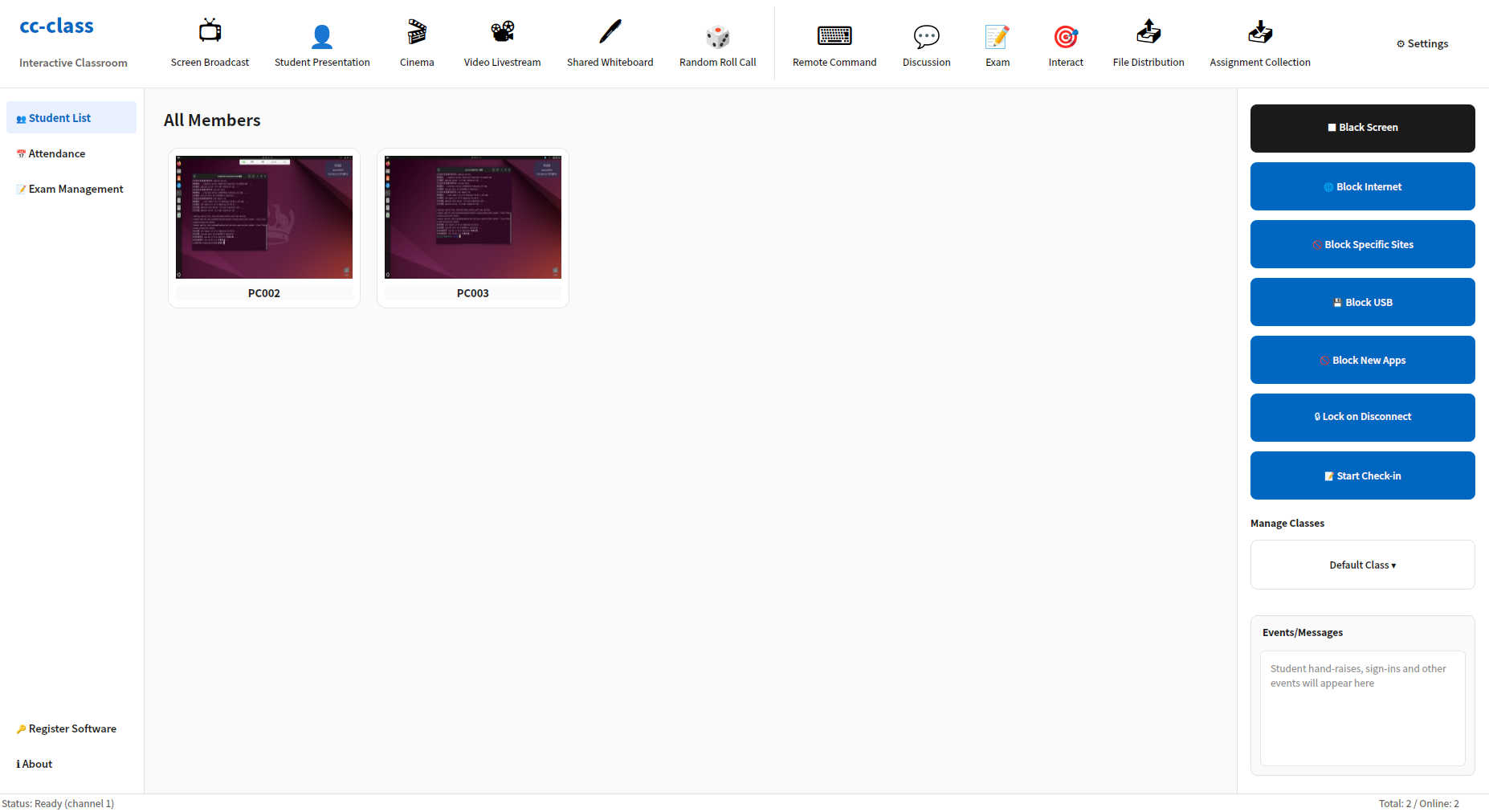
cc-class XinchuangDigital Classroom教师端在 Ubuntu / UnionTech UOS / KylinComputer Lab Management学生机:Screen Broadcast、Assignment Collection、One-click blackout、网站屏蔽
cc-class 教师端 · Ubuntu Xinchuang Server Room真实界面(Screen Broadcast / Assignment Collection / One-click blackout)
Linux / Xinchuang native, primary focus —— Xinchuang electronic-classroom software

Built for Xinchuang server rooms: the same cc-class runs simultaneously on Windows and UOS / Kylin / Ubuntu, natively covering Phytium, Kunpeng, Loongson and other Xinchuang CPUs, with functionality and UI fully identical to Windows labs.

Multi-architecture Xinchuang coverage

Offers amd64 and arm64 installation packages with native support for Phytium / Kunpeng / Loongson machines, and runs out of the box on UOS, Kylin, and Ubuntu 20.04/22.04/24.04.

.deb online / offline installation

Online apt install It automatically pulls dependencies; when the lab has no apt source, it uses an offline package containing all dependencies and install.sh,Installs in one click, fully offline throughout

systemd-guarded auto-start

The student endpoint registers as a systemd service and auto-starts at boot to automatically connect to the teacher endpoint; the teacher endpoint launches on demand and reconnects automatically when disconnected, requiring no manual attendance.

Role detection · Xorg auto-adaptation

It automatically identifies teacher and student machines by computer name; the installation package automatically switches the session to Xorg, ensuring screen broadcasting and remote control work reliably on Linux.

Ubuntu · Xinchuang实机界面

以下截图均来自 cc-class 在 Ubuntu / UnionTech UOS / KylinXinchuang Server Room的真实运行界面 —— 教师端一键Screen Broadcast、Monitoring Rotation、Remote Takeover、网站屏蔽、Assignment Collection,与 Windows 机房完全一致

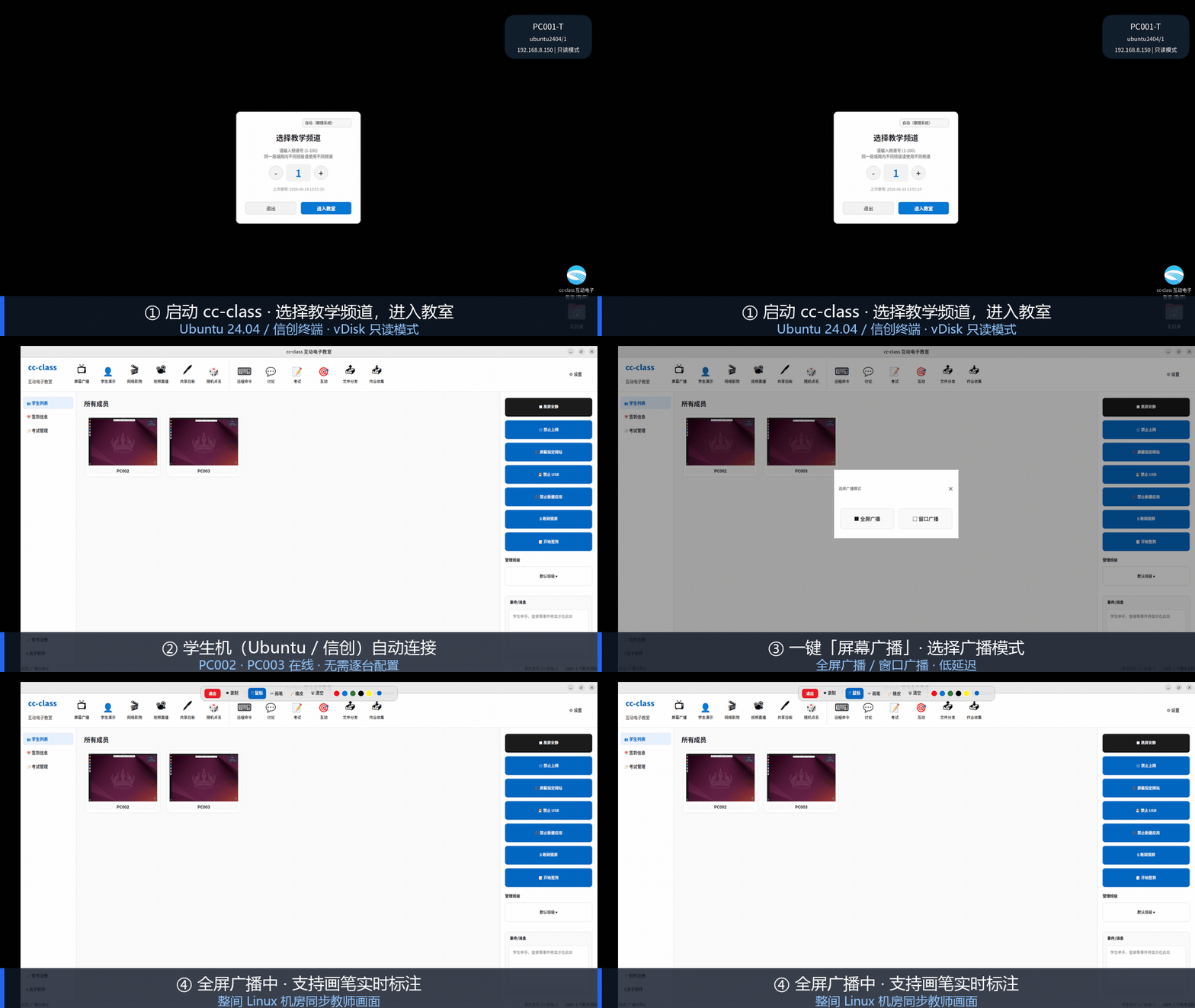
cc-class 在 Ubuntu Xinchuang Server Room一键Screen Broadcast实机演示
Ubuntu 一键Screen Broadcast教师端在 Ubuntu 24.04 启动 cc-class,学生机自动上线,一键Full-screen broadcast(实机录制)。
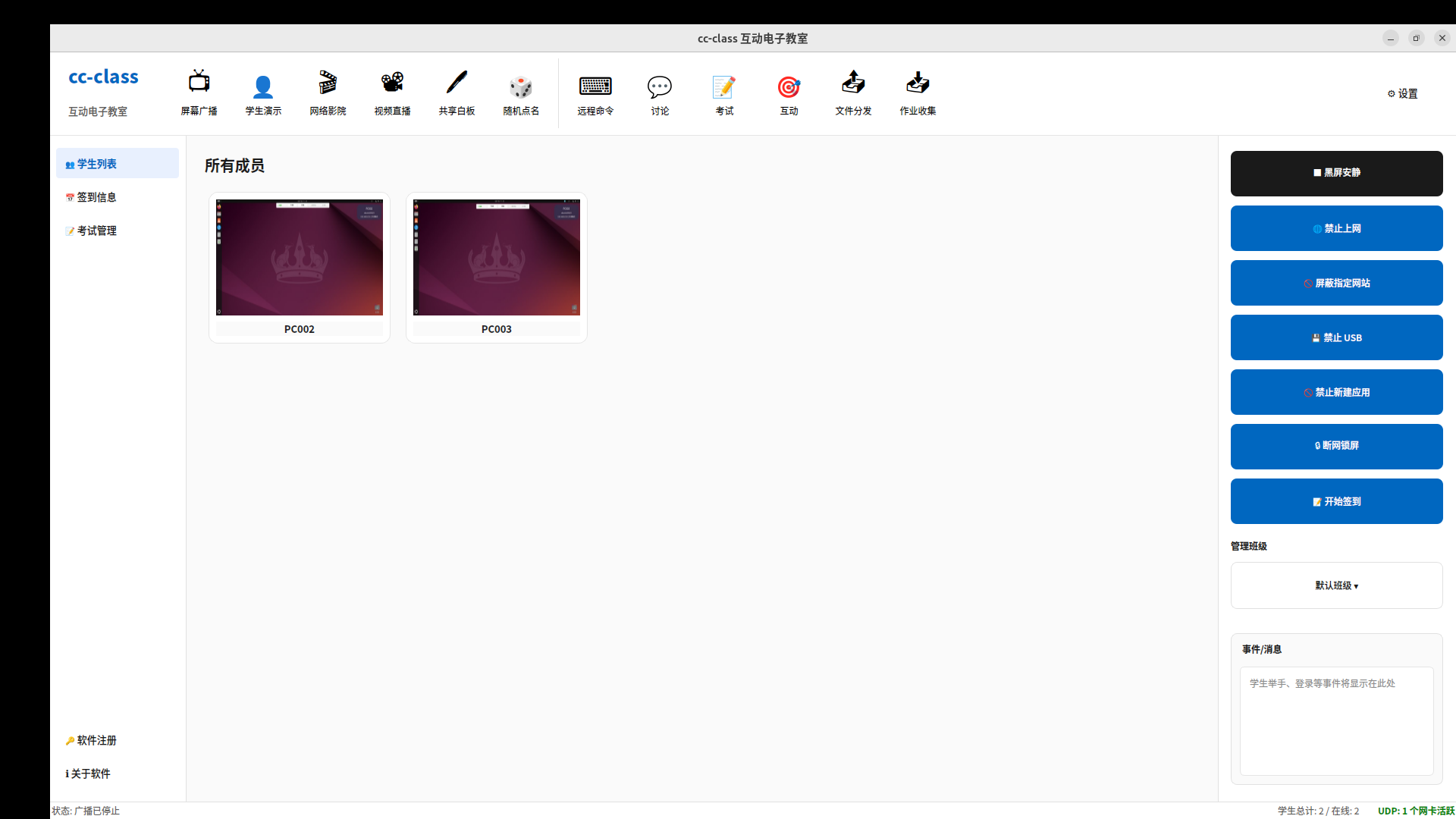
cc-class XinchuangDigital Classroom教师端管理 Ubuntu 学生机界面
教师端控制台教师端管理整间 Ubuntu 机房,实时缩略图Monitoring,Black Screen / 锁网 / 禁用 USB 一键管控。
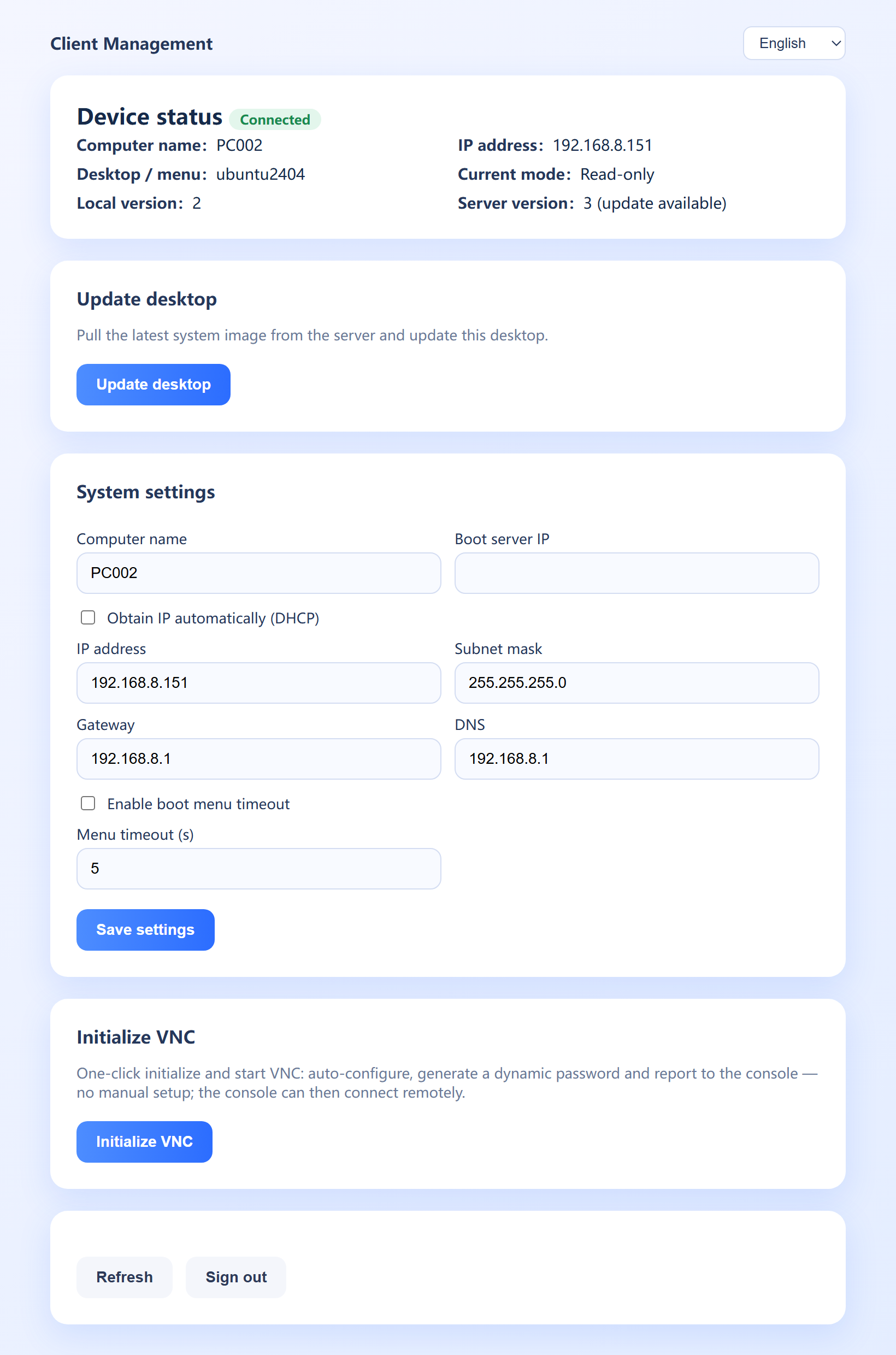
Ubuntu 24.04 Xinchuang学生机客户端:Unified Image Distribution、一键更新桌面
Ubuntu 学生机客户端ubuntu2404 学生机Unified Image Distribution、一键更新桌面,配合 vDisk cloud desktop即装即用。
cc-class select teaching channel连接Xinchuang学生机
Teaching channel同机房多班用不同频道,学生端只连相同频道的教师机,自动发现免配 IP。
Xinchuang学生机One-click blackout锁定
One-Click Screen Blackout & Silence统一锁定学生屏幕与键鼠输入,提示"Screen locked by the teacher",迅速集中注意力。
Real Classroom Usage ScenariosXinchuang Server Room cc-class 上课全过程视频演示,广播、互动、收发作业一气呵成。

Core Features

A fully featured interactive electronic classroom management system that meets common needs such as teaching, monitoring, control, and assignment distribution and collection

Screen Broadcast

Real-time screen sharing with full-screen or regional broadcast, smooth playback of video, 3D, and CAD, and the ability to lock student input devices.

Student Demonstration

Broadcast any student's screen to the whole class for peer presentations and demos, enabling student-to-student interactive teaching.

Voice Teaching

Teacher audio broadcasting and two-way voice communication—broadcast voice to students or talk with them in real time.

Network Cinema

Stream video to student screens; playback on the teacher's end syncs in real time to all student terminals.

Screen Monitoring Rotation

View thumbnails of all students' screens in real time, with polling monitoring or grid view supported, to promptly detect and intervene in violations.

Remote Takeover & Control

Synchronized keyboard-and-mouse control of student desktops supports a hands-on guidance mode, letting you tutor and troubleshoot without leaving the teacher's machine.

Distribute materials / collect and return assignments

Materials are distributed with one click, and homework, reports, and exam files are automatically collected and archived by class / student ID / seat, with resumable transfer.

Batch deployment of multiple drives

Select courseware from multiple drives/paths on the teacher's machine simultaneously and deliver it in bulk to student machines in one operation.

One-Click Screen Blackout & Silence

Centrally lock students' displays and keyboard/mouse input, disable network / USB, and prevent students from terminating the client process.

Check-In & Attendance

After students enter their name, student ID and class, information is collected and files organized automatically, then archived into the matching folder.

Online Messages

Text chat between teachers and students supports group or private chat, and teachers can toggle the student-to-student chat feature on or off.

Remote commands / power

Execute remote commands, launch specified programs, and open documents, with support for power management such as remote shutdown, restart, and wake-up.

Technical Features

Built on an advanced technical architecture for a stable, reliable system

UDP Broadcast Discovery

UDP broadcast auto-discovers the teacher console; student stations automatically search and connect on startup, with no manual IP configuration required.

Efficient TCP Transfer

The TCP protocol transmits control commands and data and supports chunked transfer of large files, ensuring reliability and integrity.

Automatic Reconnection

Automatic reconnection on network drop with a 3-second detection mechanism ensures a stable connection even during network fluctuations.

Crash Recovery

Automatically restores the connection after a crash, preserving class information and session state, and resumes working state after a restart.

Low-Latency Transmission

LAN screen broadcast latency under 100 ms, supporting 20–60 FPS for smooth multimedia playback.

Cross-Platform Support

Supports Windows 10+ / Linux / macOS, built on Qt6, with a unified interface and consistent functionality.

Use Cases

Suitable for all kinds of teaching and training scenarios

School Lab Teaching

University · K-12 computer labs

Supports a complete teaching workflow including screen broadcast, file distribution and assignment collection, keeping lab instruction efficient and orderly.

Screen BroadcastFile DistributionAssignment Collection
Multimedia Classroom

Video · Demonstration · Interaction

Supports video playback, screen sharing, remote control, and more, enhancing teaching outcomes in multimedia classrooms.

Video PlaybackScreen SharingRemote Control
Exam Proctoring

Computer-based exams · Proctoring

Supports screen monitoring, blackout-and-silence, file collection, and more to ensure exam fairness and order.

Screen WatchingBlack-Screen SilenceFile Collection
Corporate Training

In-house training · Skills training

Supports remote demonstration, file sharing, online communication and more—suitable for corporate in-house and skills training.

Remote DemonstrationFile SharingOnline Chat

Linux / Xinchuang special topic

Explore cc-class's rollout solution for Xinchuang computer labs by key capability

Success Stories

Real Deployment Site Snapshots

To protect client privacy, case images do not display client names

Try the cc-class interactive electronic classroom software now

Unified installation with no separate student/teacher images, making teaching management simpler and more efficient.