One image manages all models · Group centralized control · Real-time monitoring · WeChat mini program · IoT integration · Built-in multi-platform classroom management software · Personal cloud drive · AI teaching gateway
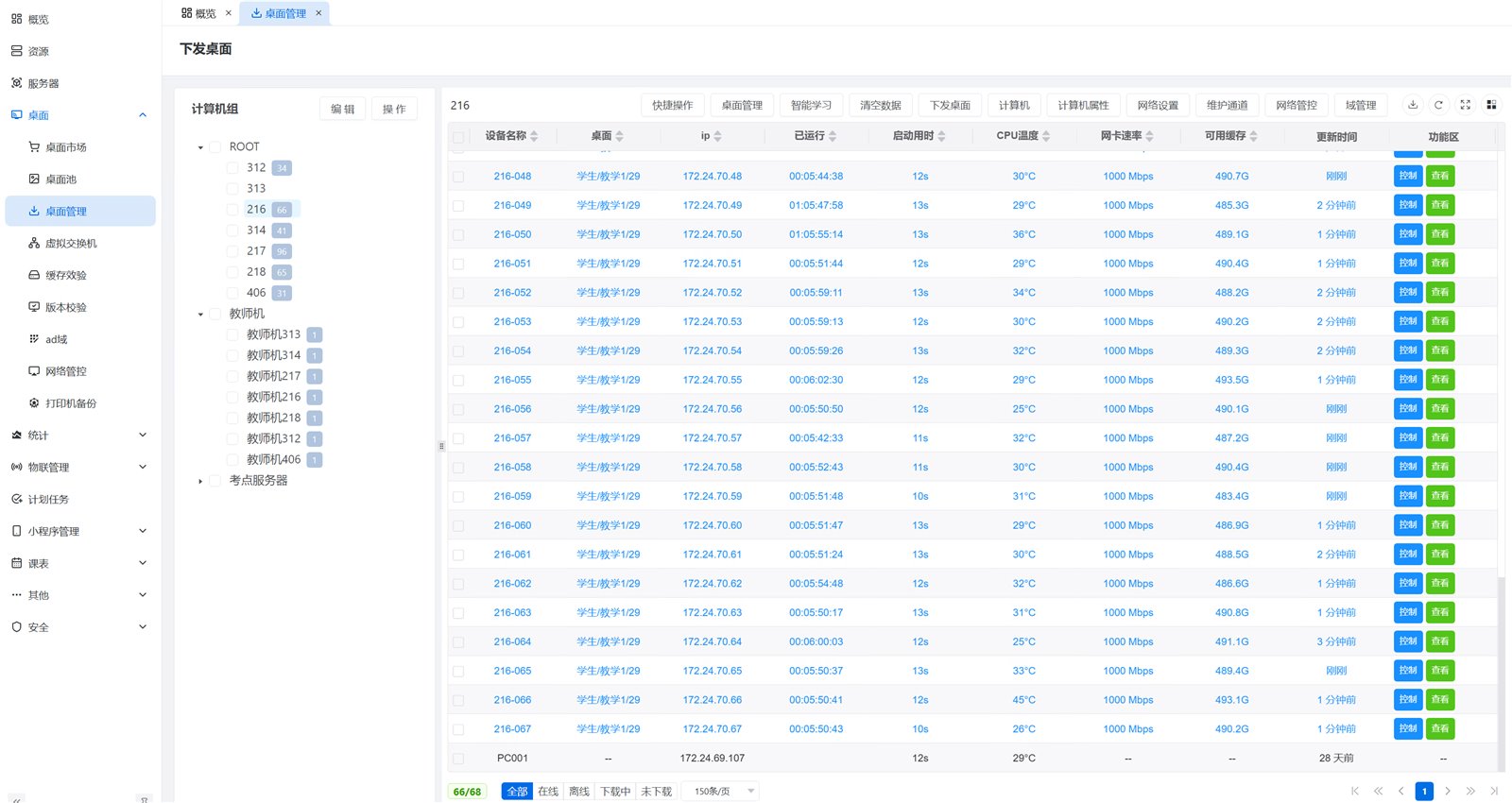
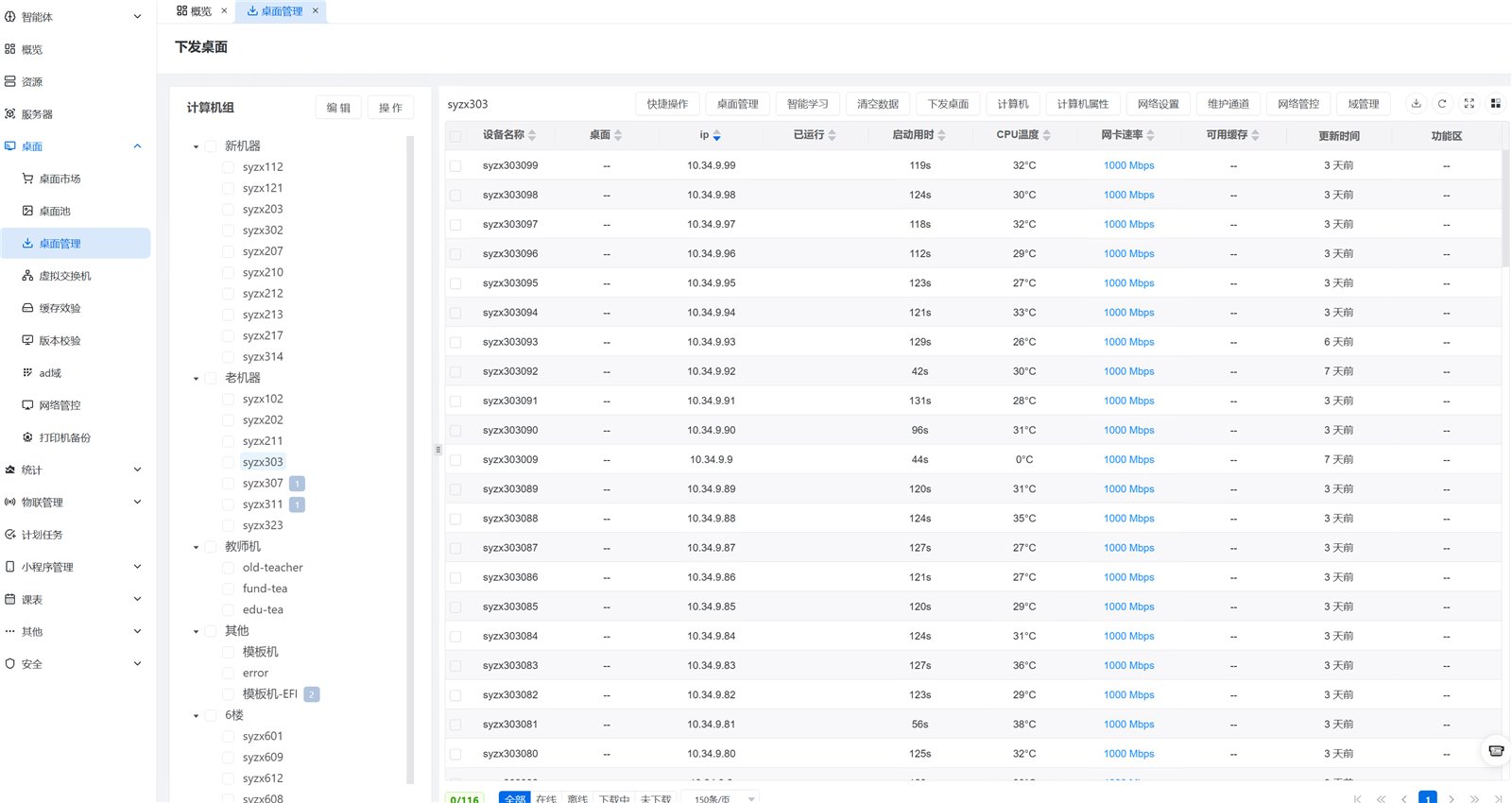
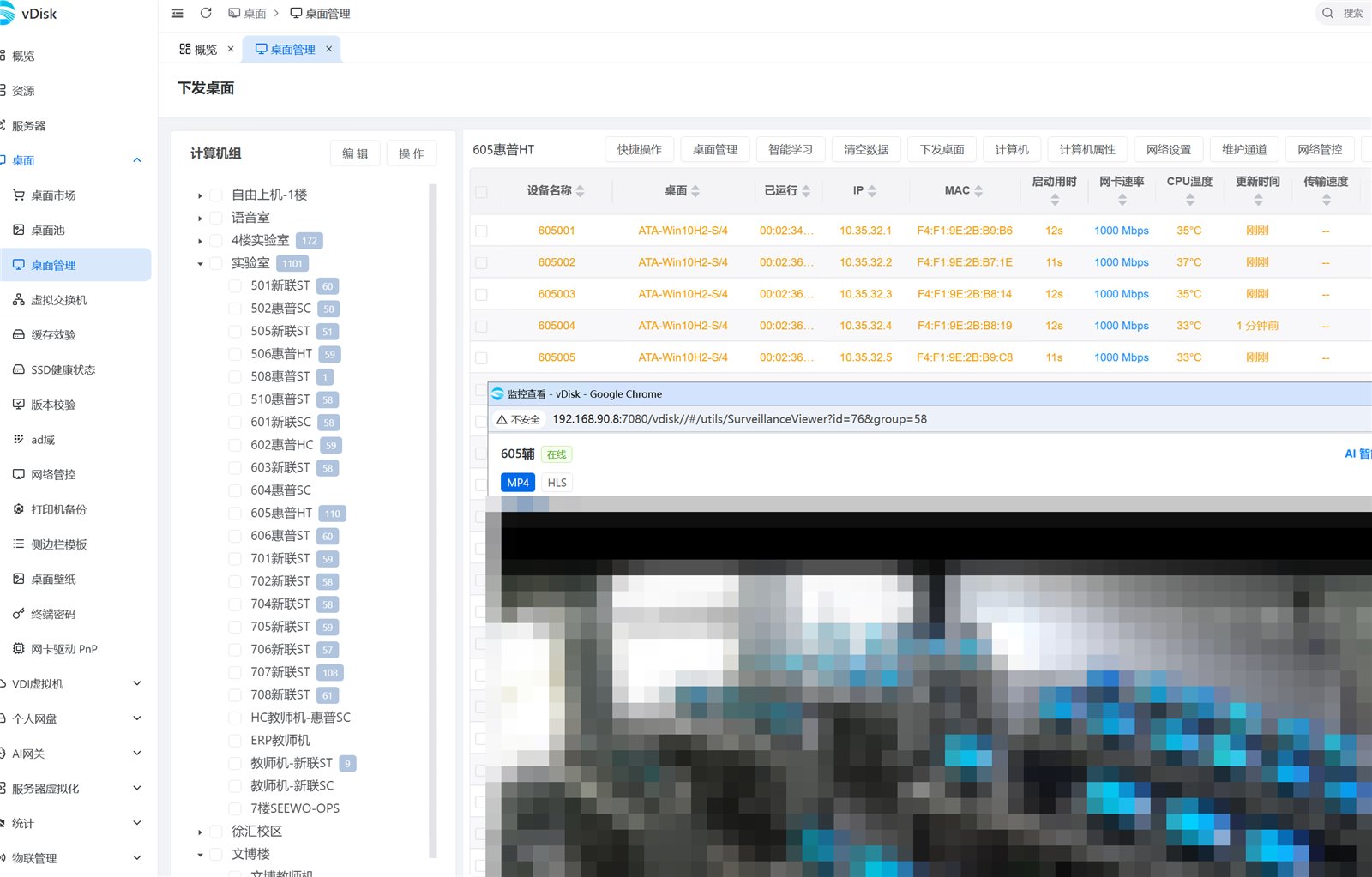
5,000 computers are scattered across dozens of computer labs, with mixed brands and models from different years. Managing them by running from lab to lab is impossible. vDisk uses a single web-based management console to group and manage all endpoints: after deploying a driver-free master image to each endpoint, the software automatically adds the most suitable drivers and configurations for that machine, so the same image works across all models. Desktops are deployed in bulk, CPU temperature and network card speed are monitored in real time, camera feeds are directly connected to the console, and operations and maintenance can be done anytime via WeChat Mini Program. The admin no longer needs to visit each lab. This page uses real screenshots from the management console; one single group actually manages about 3,000 endpoints (a single sub-group expanded in the screenshot contains 1,101 machines).
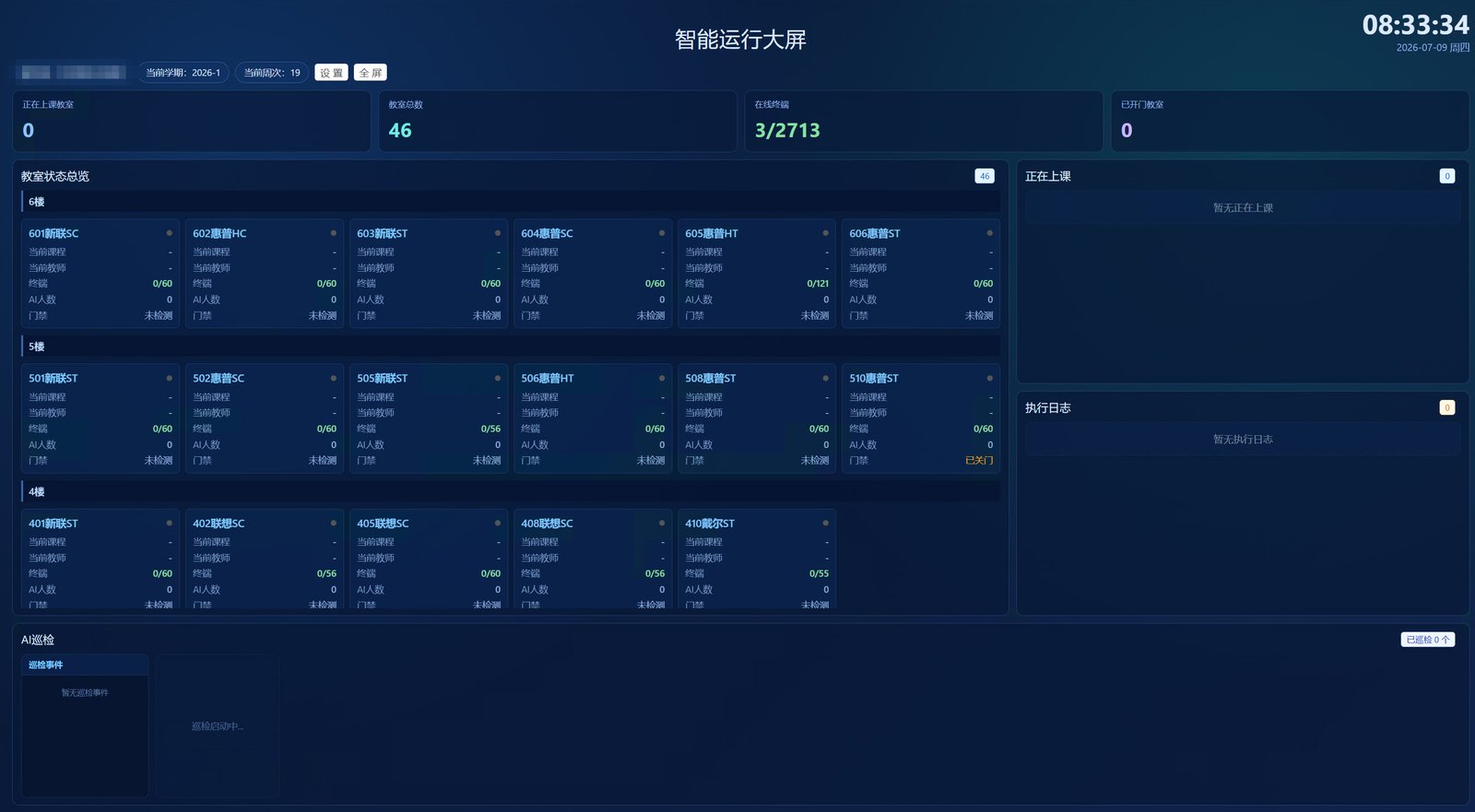
The following are real screenshots from the vDisk management console, not renderings – grouping of thousands of machines, real-time status of entire computer labs, camera feeds directly connected to the backend.
When the number of units reaches thousands, any "per-machine" operation is magnified thousands of times. The core of the solution is to turn all per-machine operations into batch operations on the platform.
The first hurdle in managing 5000 machines is "diverse models". vDisk completely decouples images from hardware: the base image itself does not contain drivers; after distribution to each terminal, the most suitable drivers are supplemented. The entire school only maintains one base image.
The master image is made into a clean system independent of hardware, without bundling any model-specific drivers, thus not tied to specific hardware. The same image can be deployed to endpoints of all brands and models, with only one image to maintain for the entire school.
After the image is delivered to each endpoint, the software automatically identifies the hardware (network card, disk, chipset, etc.) on the local machine and adds the most suitable drivers and configurations for that machine — each machine gets the driver best suited to its hardware, so different brands and different network cards can share the same image without missing drivers or blue screens.
Old machines with Legacy BIOS and new machines with UEFI can boot from the same image. Mixed old and new computer labs don't need to maintain two separate systems.
Intel/AMD and Kunpeng, Phytium, Loongson, Hygon domestic IT stack endpoints, Windows and Kylin, UOS images, all managed in a unified backend, with per-machine architecture and boot mode assignment. The server itself is a cross-platform program, deployable on x86/ARM servers, NAS, Docker, and the domestic IT stack version is updated synchronously with the x86 version.
Old PCs don't need to be eliminated: network / partial cache / full cache multi-mode boot automatically adapts to hard disk size, small hard disk and network boot endpoints can be included in unified management.
Install software and apply patches by modifying the master image only once, then distribute incremental differences to the entire school; retain historical versions, and restore with one click if issues arise.
5000 units form a grouping tree in the backend: grouped by campus, floor, lab, new/old models, batch operations and real-time status are all per group.
Grouping by campus → floor → lab → endpoint, operations like desktop delivery, data clearing, restore, shutdown are executed in batches per group, one thousand units in a single group at once.
Real-time reporting of online status, boot time, CPU temperature, network card speed, and available cache for each endpoint; SSD health is collected every half hour, with early warning for bad disks.
Each machine in the list has one-click "Control / View", allowing remote takeover of the desktop to handle issues without going to the computer lab. Combined with cc-class, you can also monitor and cycle through the entire classroom.
The computer lab cameras are connected to IoT management. Administrators can view live real-time footage directly from the backend, enabling 'see the scene' when troubleshooting remotely.
Access control, power, air conditioning, and lighting are all connected to the platform, linked with class schedules and endpoint status: automatically power on at class start, and automatically power off and lock doors at class end.
Scheduled tasks using standard cron expressions: automatic power-on at night to distribute system images, automatic restore in the morning, unified shutdown after school, all unattended.
Terminals that fail to boot into the system (startup failure) or have not been started for a long time are automatically counted in the background as an 'abnormal terminal' list and reported as suspected damage. No need to wait for teachers or students to report for repair; handle faulty machines according to the list, and terminals hidden in corners will not be missed.
On-site monitoring: the O&M large screen AI patrol inspects one computer lab every 10 seconds—current number of people, number of powered-on machines, whether there is smoke, and the ongoing class are all visible on one screen, with anomalies detected immediately. Online system monitoring: AI periodically inspects server disk space, key ports, database health, and error logs; anomalies notify the administrator via the console and mini-program.
Administrators cannot always sit at the console. The mini-program allows daily operations to be done on a mobile phone, while the backend only handles tasks that require manual intervention.
Online rate, fault alerts, and task progress of each computer lab are clearly visible in the mini-program, so you can monitor all labs from home during winter and summer breaks.
Remotely power on, off, restart, and restore by group on mobile phone; no need to run to the lab for temporary classes, and easily turn off the entire floor after evening study.
Proactive alerts for endpoint offline, abnormal temperature, and SSD health warnings are pushed to the phone, so issues reach the administrator before teachers and students notice.
No need to power on each lab manually before exams: multiple methods including network remote wake-up, client proxy wake-up (machines that cannot be woken are woken by other machines in the same lab), scheduled power-on via planned tasks. The mini-program wakes up all endpoints with one click, and the wake-up results (success / failure list) are pushed to the phone via WeChat subscription messages. Combined with one-click exam environment check, the exam room is ready in advance.
When the scale is large, "how long does distribution take, how to recover if broken" is a problem encountered every day.
Terminals act as seeds for each other, distributing data peer-to-peer. The more machines, the faster the distribution, no longer '5,000 machines queuing for the server'. Supports downloading while using; classes can continue normally during distribution.
Image updates proceed in the background. Students can continue using the machines for class without waiting for downloads or clearing the lab. During the download process, restarts, shutdowns, or power outages do not damage the system. The download resumes automatically on next boot. The new image does not take effect until fully downloaded; the old environment remains usable as usual.
Restores on boot: if students install unauthorized software, get infected, or accidentally delete files, a 30-second restart returns to the standard environment; switch to exam image with one click before exams.
Schedule image updates with planned tasks at night: timed power-on → BT distribution → auto shutdown, all completed by the next school day.
One-click distribution of detection program to entire computer lab before exams. Each machine displays a screen to verify: USB drive/keyboard/mouse connectivity, system disk write mode, network card speed compliance. Non-compliant machines are instantly flagged, eliminating the need for invigilators to check each PC individually.
Examination images are deployed in batches by group. After the exam, there is no need to leave them on the student machines: the local exam environment on the endpoint can be deleted directly to free up local space. During normal times, it can also be "hidden" with one click so that students cannot see it. The master image is stored on the server for a long time. For the next similar exam, it can be re-deployed by group and the exam can start directly without recreating the image.
Large computer labs need not only to be 'managed' but also 'teachable'. The platform comes with cc-class classroom management software, integrated with the same system as the cloud desktop centralized control, eliminating the need for separate teaching management software.
No separate installation packages for teacher and student: the same package is installed on all machines. The software automatically determines which is the teacher machine and which is the student machine based on the computer name (the computer name assigned by the cloud desktop takes precedence), and the administrator does not need to configure each machine differently.
Windows shares the same classroom management software with Kylin, UOS, Ubuntu, and other Linux/domestic IT stack systems. Domestic IT stack labs and mixed-generation labs don't need to build separate teaching software setups.
Screen broadcast, classroom management, image deployment, restore, and schedule integration are naturally interconnected. The teacher's PC can monitor and patrol the entire classroom. One system covers both "manage the computer lab" and "deliver effective lessons."
→ Learn about cc-class domestic IT stack · Linux classroom management software
The computer lab restores every time it starts up, keeping it clean. Where do teachers and students store their personal data? The answer is personal cloud disk: it resolves the natural contradiction between "restore" and "personal data".
Sector-level (disk-level) network disk, not a web-based cloud drive or FTP: upon login, it is mounted as a local drive, allowing you to install software, run programs, and save files directly on the network disk, with a user experience identical to a local disk.
The system restores to a clean environment on each boot. Personal files, homework, and courseware are stored in a user-account-based network drive, accessible from any machine you log in to. It is only mounted within the cloud desktop intranet, so data never leaves the intranet, eliminating data audit risks.
Network disk supports Excel batch import, batch password reset, quota and usage visible in the backend; supports multi-server load balancing, combining storage capacity of multiple servers for external provision, with users automatically assigned to different data servers.
Schools want to offer AI programming courses and let students use top-tier large models, but don't want to buy a GPU for every machine or have students register and purchase keys from each vendor. The platform comes with an OpenAI-compatible AI relay gateway that centrally connects to commercial large model APIs, with backend authorization, metering, and logging.
It provides an externally compatible OpenAI proxy endpoint. VS Code, Cursor, JetBrains plugins, domestic programming assistants, and self-developed programs can be connected via a unified gateway + key. There is no need to build large models or purchase GPU servers for the school; it uniformly connects to domestic commercial large model APIs.
Model authorization is bound to student accounts; logging in grants Token quota, eliminating the need for teachers and students to register and purchase keys from each vendor individually; per-student call limits can be set, with transparent costs and controllable quotas.
Token consumption is tracked per student, with call records retained so teachers can review the learning process. Archived chat history supports context loading for the next session, saving tokens and facilitating grading and teaching review.
The Desktop Marketplace includes AI development/programming teaching environment images, with one-image management for batch deployment and version consistency; students can complete AI learning and programming within the cloud desktop, ready to use.(AI-related capabilities require configuring the AI gateway and signing a subscription contract before enabling the built-in key.)
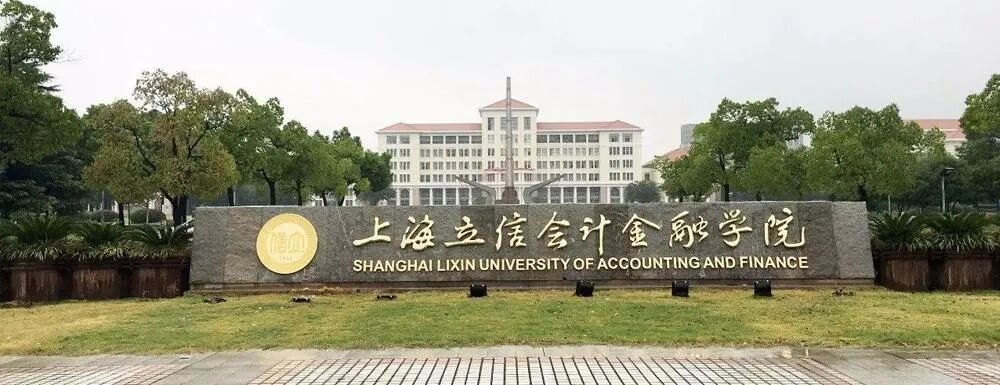
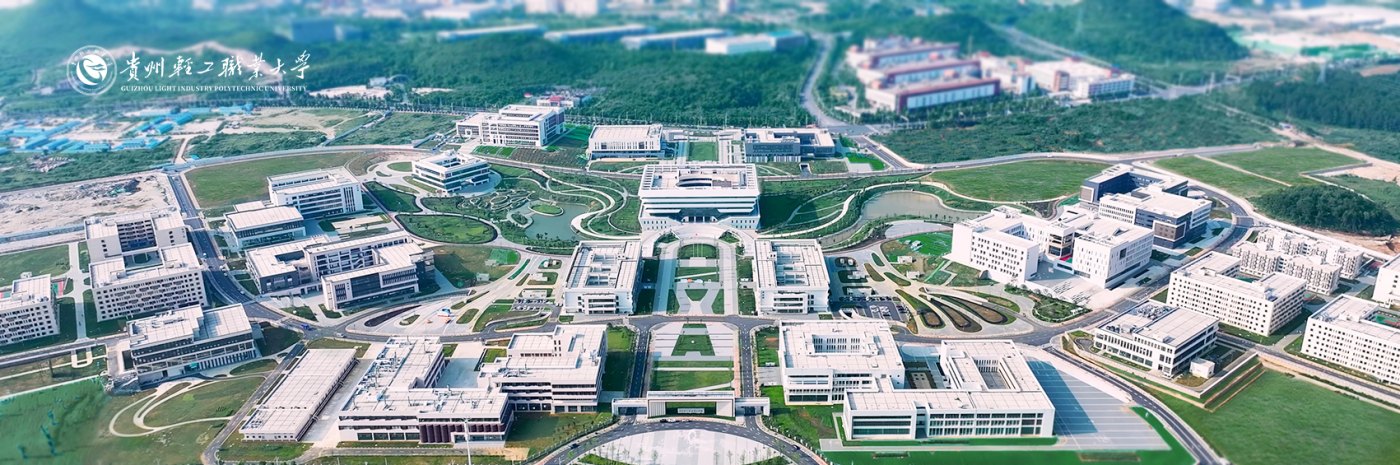
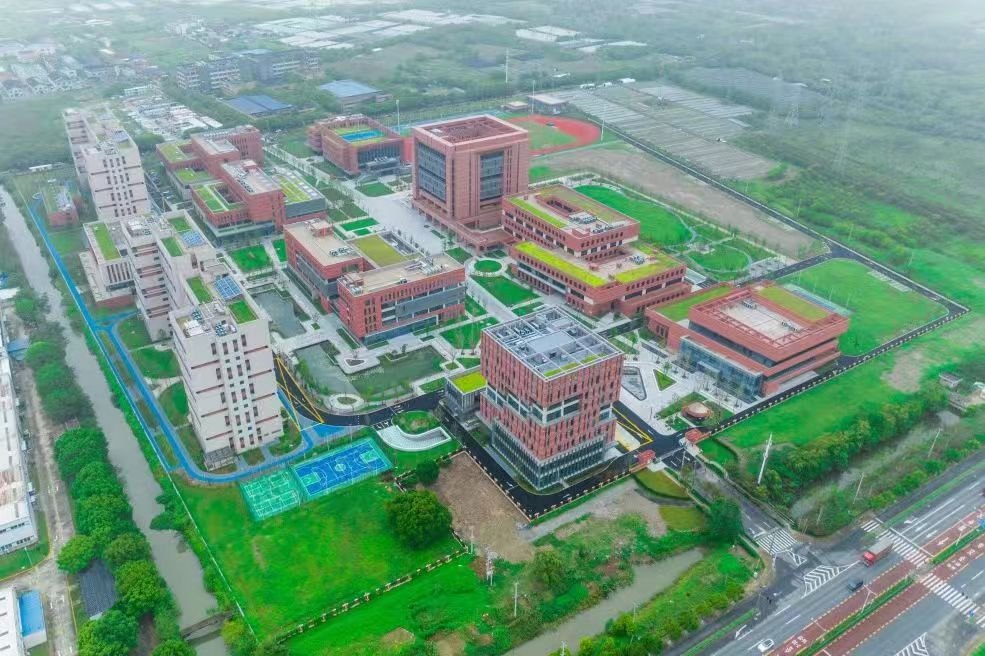
Below are large-scale deployment projects that have been implemented. See more live shots in the photo wall below.
Can reuse existing endpoints (including older PCs), deploy in batches without suspending classes.
All endpoints are grouped and managed in a unified web backend. Daily status is monitored via an operations dashboard and mini-program alerts. Faulty machines can be remotely taken over or restored in 30 seconds. OS deployment and patching become batch tasks. Routine operations are fully platformized; administrators only handle alerts, and there is no need to assign operations staff per computer lab.
Yes. The master image of vDisk itself does not contain drivers and is hardware-independent: after the image is distributed to each endpoint, the software automatically identifies the hardware on the local machine and supplements the most suitable drivers and configurations, so each machine gets the drivers that best fit it; BIOS and UEFI share the same image, and the entire school only maintains one master image for mixed-generation computer labs.
Distribution uses BT seeding for peer-to-peer transfer; endpoints act as seeds for each other, the more machines, the faster it gets, without all traffic going through the server. Combined with scheduled tasks set to run automatically at night, it completes by the next school day. It can also download in the background during the day, even while in use; rebooting or shutting down during the process does not damage the system. The new image does not take effect until fully downloaded, so the old environment continues to work normally for classes.
In full cache mode, the system image is already local on the endpoint, so classes can proceed normally even if the network is disconnected; endpoints in network or semi-cache mode automatically resume cache transfer after network recovery, requiring no manual intervention.
Yes. Network / semi-cache / full-cache multi-mode boot auto-adapts to the terminal's hard disk size. Small hard drives and even diskless old machines can be managed. Old computer labs can be integrated into the same platform without replacing all machines.
Yes. Kunpeng / Phytium / Loongson / Hygon domestic (Xinchuang) IT stack endpoints, x86 endpoints, Kylin / UOS and Windows images are all managed in the same console; you can specify CPU architecture and boot mode per device. The server is also cross-platform and can be deployed on x86 / ARM servers, NAS, or Docker.
Built-in. cc-class classroom management software and cloud desktop centralized management are in the same system, available on Windows, Linux, and domestic IT stack platforms. Screen broadcast, classroom management are ready out of the box. Moreover, there is no separate installation package for teacher and student ends – the same installation package is installed on all machines, and the software automatically determines teacher or student mode based on the computer name. Administrators do not need to configure each machine individually.
No need. Exam images can be "hidden" in the desktop pool by group with one click: normally students cannot see the exam environment when they boot up, while the image remains stored on the server and in the local cache of endpoints; for the next similar exam, unhide it and set it as the default desktop to directly enable it, without having to recreate or redistribute the image.
No need. The platform comes with an OpenAI-compatible AI teaching gateway: it provides unified access to domestic commercial large model APIs, so you don't need to build your own large model or purchase GPU servers. Model licenses are bound to student accounts; students receive token quotas upon login without needing to register and buy keys from each vendor individually. The console tracks usage per student, allows setting per-user caps, and retains call logs and conversation history for teachers to review and continue courses. VS Code, Cursor, etc., can be connected via the unified gateway address, and together with the image marketplace, you can deploy AI development environments that are ready to use upon boot. (AI-related capabilities require configuring the AI gateway and signing a subscription contract to activate the built-in key.)
Personal network disk. It is not a web-based network disk, but a sector-level network disk: after login, it is mounted as a local drive, where you can directly install software, run programs, save files, with the same experience as a local disk. Data follows the account; logging in on any machine keeps the data, and system restore does not affect the network disk data. The network disk is only mounted in the cloud desktop intranet environment, data does not leave the intranet, and supports Excel batch account creation and multi-server storage load.
No need to redo. After the exam, you can directly delete the local exam environment on the endpoint to free up local space (you can also "hide" it with one click during normal times, so students won't see it at boot). The master image is stored on the server long-term. For the next similar exam, you can redeploy it by group, set it as the default desktop, and it will be ready to use directly without re-creating.
The backend will automatically count terminals that "failed to boot into the system (boot failure)" and "have not been started for a long time" into an abnormal terminal list, report suspected damage, combined with SSD health warning and mini-program alert push, so that faulty machines are already on the administrator's processing list before teachers and students report them for repair.
Fill in the information, and the pre-sales team will provide a one-on-one centralized control solution and free trial based on the number of your computer labs and endpoint scale, and send the software acquisition method. Self-service QR code registration, can be renewed three times, unlimited endpoints.