Shanghai Chengcheng Information Technology Co., Ltd. · The team has been established for 20 years, dedicated to R&D.
University Lab Equipment Security Management Platform UI Showcase

Integrated device management and security monitoring

Designed for universities and research institutes, it covers the full lab lifecycle from equipment management to safety monitoring: equipment assets and maintenance, access control and reservations, hazardous chemicals and smart cabinets, safety exams and safety incidents, environmental monitoring, and billing and a Mini Program portal.

Helps labs achieve standardized equipment management, secure real-time monitoring, and digital operations, with support for both the management console and the Mini Program.

Core Advantages

  • Full digitalization of asset ledgers, maintenance, access control and reservations
  • Hazardous chemicals and smart cabinets, safety exams and closed-loop incident management
  • Billing rules and invoices, monitoring and O&M, Mini Program portal
  • Spring Boot + Vue3 + uni-app, easy for secondary development

Integrated lab management

Devices · security · booking · billing
One Platform, Full Coverage

Core Features

Integrated capabilities spanning equipment, access control, booking, hazardous chemicals, safety exams, monitoring, and billing.

Equipment ledger and classification

Build equipment records supporting category, owning lab, storage location, brand and model, purchase date, cost and value history, with support for tags and bulk import.

Asset statistics and reports

Tally equipment counts and total asset value by lab, category and value range, with report export and depreciation analysis to meet the needs of higher-level audits and decision-making.

Repair and maintenance records

Repair request logging, dispatch handling, maintenance records and parts replacement, plus servicing plans and execution records make the entire equipment lifecycle queryable and traceable.

Usage logs and machine-time statistics

Bookings and check-ins automatically generate usage records—who used which device, when, and for how long—and support aggregating machine hours and utilization by device, person or lab.

Access Control & Booking

Access permissions are managed per university lab; devices/workstations can be booked by time slot with approval and conflict detection, and once a booking is approved, access is granted automatically, supporting 24-hour availability.

Hazardous Chemicals Records and Inventory

Hazardous chemical records, one-bottle-one-code, inbound and inventory management, requisition application and approval, smart cabinet opening and return logs — fully traceable end to end.

Secure exams and access control

Lab safety admission question bank, exam sessions, online answering and submission; passing automatically grants booking/access permissions, while failing prevents booking.

Security events and monitoring

Security incident reporting, handling workflows and statistical analysis; cameras and recording, environment and hardware alerts, and operation auditing — for routine, continuous security monitoring.

Billing & Invoicing

Set billing rules per device or per duration, automatically generate usage invoices, and reserve payment-interface integration to facilitate open sharing and cost accounting.

Mini Program Portal

Students and teachers handle reservations, access check-in, secure exams, and notification viewing through the Mini Program, with data synchronized between the management console and the mobile app.

cc-LIMS complete feature list

The above are the most commonly used items. Below, the functions of each module of the platform are listed one by one with a brief description: 11 modules, 70 functions, which can be directly checked when writing laboratory construction plans and technical requirements.

11Function Module
70feature by feature
2Endpoint (management console / mini program)
1Account permission system

Equipment ledger and value management 8 项

From arrival to retirement, each device's file, value, and maintenance records are all linked to the same asset ledger.

Equipment cost and current value
Records the purchase cost and current value, so no separate ledger is needed during asset inventory.
Value history
Each value adjustment leaves a historical record, providing traceable evidence for depreciation and write-off
Maintenance Record
Repair requests, repair time, responsible unit, process, and sign-off are recorded item by item
Maintenance records
Maintenance plans and actual execution are recorded separately; what needs to be done upon expiration is clear at a glance.
Archive paper documents
Paper maintenance records can be scanned and uploaded, then bound to the corresponding records.
Device details page
Value history, maintenance records, and repair records are displayed in separate tabs. One device, one page to see everything.
Export devices and reservations to Excel
Export device inventory and reservation records to tables with one click, ready for inspections and reports.

Equipment reservation and approval 7 项

Devices are available for reservation by time slots, with full tracking of who uses them, when, and who approved.

Device Reservation
Submit reservation requests by device and time slot
Conflict Detection
Only one valid reservation per device per time slot, preventing conflicts from the source
Approval Workflow
After submission, it enters the approval process; approval records are kept separately.
Cancel and Undo
Reservations can be canceled, status changes are traceable
Reservation list and query
View all reservations by device, time period, and status
Scheduled Linked Recording
Automatically start and stop camera recording tasks based on reservations, capturing footage during the device usage period.
Scheduled power-on with linkage
Automatically power on/off devices according to schedule: power on when people arrive, power off when they leave

Access Control and Laboratory 4 项

Access control devices are registered under the laboratory they belong to, and are managed together with the laboratory and room inventory.

Laboratory and room records
Two-level registration: laboratory and room, with equipment and access control linked to the corresponding laboratory.
Access Control Device Management
Register, modify, delete access controllers; query by laboratory
Check door access by lab
How many doors does a lab have and what equipment is on each? See it all on one page.
Mini-program access control entry
View door access list and initiate door opening requests from mobile

Hazardous chemicals and smart cabinets 7 项

From storage, requisition, approval to cabinet access, every step matches people and quantities for hazardous chemicals.

Hazardous Chemical Records
File management of hazardous chemical names, categories, and safety information
inventory management
Record inventory by item category, with traceable records for in and out storage
Requisition form and details
Initiate a requisition form and list each item and quantity requested
Requisition Approval
Request forms must be approved before execution, and the approver is recorded
Open cabinet by requisition form
After approval, open the corresponding cabinet slot according to the requisition form; open the slot for what is requested.
Smart Cabinet Management
Smart locker registration and compartment management, supports single-compartment opening
cabinet open log
Each cabinet opening leaves a record, traceable individually afterwards

Security Events, Notifications, and Reporting 9 项

When a sensor exceeds the threshold, an event is automatically generated. Once generated, the event notifies the person and cannot be deleted.

Hardware device connection
Register device types and devices, receive reported data from devices
Alert rules
Set thresholds by indicator; reported data is automatically validated
Automatic event generation on threshold exceedance
Data exceeding the threshold is directly written to security events, marked as source: sensor
Security incident log
Event query, processing status update, and traceability of the processing process
Events cannot be deleted
安全事件按策略不允许Delete,杜绝"出事就删记录"
Automatically notify admin
Automatically generate a notification record and send it to the administrator when an event occurs
Report to the highest level
Important events are escalated to the highest level according to rules, and notifications cannot be canceled
Notification Read Mark
Notification list can be queried by event, can be marked as read
AI result reporting
Violations detected by external AI can be reported and recorded in the security event log

Video monitoring and environment snapshots 7 项

Camera management, real-time preview, scheduled recording, plus periodic environment snapshots — everything in the lab is recorded and traceable.

Camera management
Camera registration, modification, deletion, and list query
Live Preview
Get the playback URL from the camera, and view the real-time feed directly on the frontend page.
recording task
Creation, modification, and query of recording tasks
Start/stop recording by schedule
Automatically start recording when device reservation begins, and stop when it ends
environment snapshot
Creation and query of environment snapshot records, with the ability to mark as analyzed.
Scheduled Snapshot
A scheduled task generates an environment snapshot record for each enabled camera every 10 minutes.
Mini program monitoring
View camera list and live preview on mobile

Secure exams and access control 6 项

Those who fail the security exam cannot enter the lab — the exam results are directly written back to the access mark on the personnel file.

Security Question Bank
Create, read, update, delete of question bank items
Exam Session
Organize exams by session; sessions can be added, deleted, modified, and queried
Online test generation
When the exam starts, the test paper is distributed, and the questions distributed do not contain answers.
Exam submission and scoring
Automatic scoring after submission
Access tag linkage
Automatically update the user's security exam pass mark and pass time upon exam passing.
Mini-program quiz
Students can view sessions, answer questions, submit exams, and see results on their mobile phones.

Device power-on and power consumption 5 项

Device power supply is centrally managed by the platform, with accounting that matches who used the device and how much electricity was consumed.

Power Control Configuration
Configure power-on control methods by device, and perform CRUD operations
Remote power on/off
Power on and power off the device
Power on by schedule
Automatically power on at scheduled start and power off at scheduled end
Electricity meter reading report
Receive meter reading reports
Power Consumption Records
Check power consumption records by device, as a basis for billing and energy saving.

Billing & Invoicing 4 项

Large equipment has two sets of unit prices (internal and external), and bills are automatically generated after use.

billing rules
Set two unit prices per device (on-campus and off-campus), rules can be added, deleted, modified, and queried.
Invoice creation and list
Generate bills based on usage records and review centrally
Unified order interface
Bills can initiate unified ordering, and payment channels are connected as needed
Mini program billing
Check your own bills on mobile

Account permissions and operations audit 6 项

A unified permission system covering users, roles, departments, and menus; all actions are recorded in audit logs.

Users and Roles
User and role management, login with JWT tokens, passwords encrypted and stored.
Department and laboratory assignment
The department tree corresponds to labs and rooms, with people and equipment in their proper places
menu permissions
Menus are assigned by role; unauthorized entries are not displayed.
Operation audit log
Key operations are written to the audit log and can be searched by criteria
Operations dashboard
Aggregated statistics, one page suffices for daily review
Data export and backup
Devices and reservations support Excel export, with data backup instructions also available.

Mini Program Portal 7 项

All the daily tasks that teachers and students need to use are moved to the mobile phone, with the same set for H5 and WeChat Mini Program.

Mobile Login
Log in with the same account system as the platform
Device Reservation
Check the list, make a reservation, view details, and cancel on the mobile phone
Monitoring View
Camera list and live preview
Access Control
Access control list and door entry
Secure exams
Session list, answering questions, submission, and results
Security Notification
Notification list and read status
bill
My billing list

The list is compiled according to the current version; the actual machine menu and implementation scope shall prevail. Hardware functions require on-site equipment support. A plain text version (for easy import into construction plans or for AI retrieval) is available. Full Feature List (Plain Text)。

Use Cases

Suitable for lab and computer-room management scenarios in universities, research institutes, and similar settings

How to manage lab equipment

Establish an equipment ledger on the platform: enter the name, category, owning lab, storage location, brand and model, purchase date, and cost. It supports filtering by category and lab and batch import; equipment can have attachments such as manuals and contracts, and the full lifecycle from intake to transfer and disposal is logged, facilitating inventory checks and inspections by higher authorities.

Asset statistics and reports

With one click, tally equipment quantity and total asset value by lab, equipment category and value range, with support for exporting Excel reports and depreciation analysis. It meets the data needs of annual asset audits, Ministry of Education reporting and internal decision-making regarding "how much equipment there is, what it's worth, and where it is located."

Repair records and maintenance plans

After equipment is reported for repair, the fault description is logged, a work order is dispatched to a technician, and the handling results and replaced parts are recorded. It supports drawing up maintenance plans (e.g. quarterly calibration), with due-date reminders and execution logging. The repair and maintenance history of each device is centrally searchable, making it easy to analyze failure rates and maintenance costs.

Usage logs and machine-time statistics

After a student or teacher reserves equipment and checks in, the system automatically records "who, when, which device, and for how long." It can aggregate machine hours and utilization by device and tally usage frequency by person, providing data support for open-sharing assessments, equipment-procurement justification and lab efficiency analysis.

Open booking linked with access control

Students select a lab, device, or workstation in the Mini Program or on the Web, submit a booking for available time slots, and once the supervisor/administrator approves, the system automatically grants access permissions during the reserved period. Swiping a card or scanning a code at the lab door counts as check-in, and permissions are automatically released after the time expires, enabling 24-hour unattended access with precise control.

End-to-End Hazardous Chemicals Management

Upon procurement and intake, a unique code is generated for each bottle and affixed to the reagent bottle; before use, the requester submits an application in the Mini Program specifying purpose and quantity, and gains cabinet-opening permission once the supervisor approves. At the smart cabinet, the user opens it via card or facial recognition, and the system records the requester and time; upon return, scanning the code and placing it back automatically deducts inventory. The entire process is traceable, meeting compliance and audit requirements.

Security Admission Exam

Administrators maintain the lab safety knowledge question bank, assemble papers and publish exam sessions. Students answer via the Mini Program or Web, and after submitting the system grades automatically; those who pass are automatically granted reservation and access-control permissions for the lab, while those who fail cannot make reservations, safeguarding personnel safety competence at the source.

Security event reporting and monitoring

Teachers and students can report lab safety incidents (such as spills or equipment anomalies), and administrators log the handling results to close the loop. Combined with cameras, environmental and hardware alerts, and operation audit logs, it achieves routine safety monitoring and after-the-fact traceability, meeting safety-inspection and rectification requirements.

Device usage billing and invoicing

Set billing rules (by duration or by session) for valuable instruments or open machine time, and the system automatically generates invoices based on actual usage records, with support for integration with payment interfaces. This facilitates cost accounting and charge management when sharing across research groups or departments.
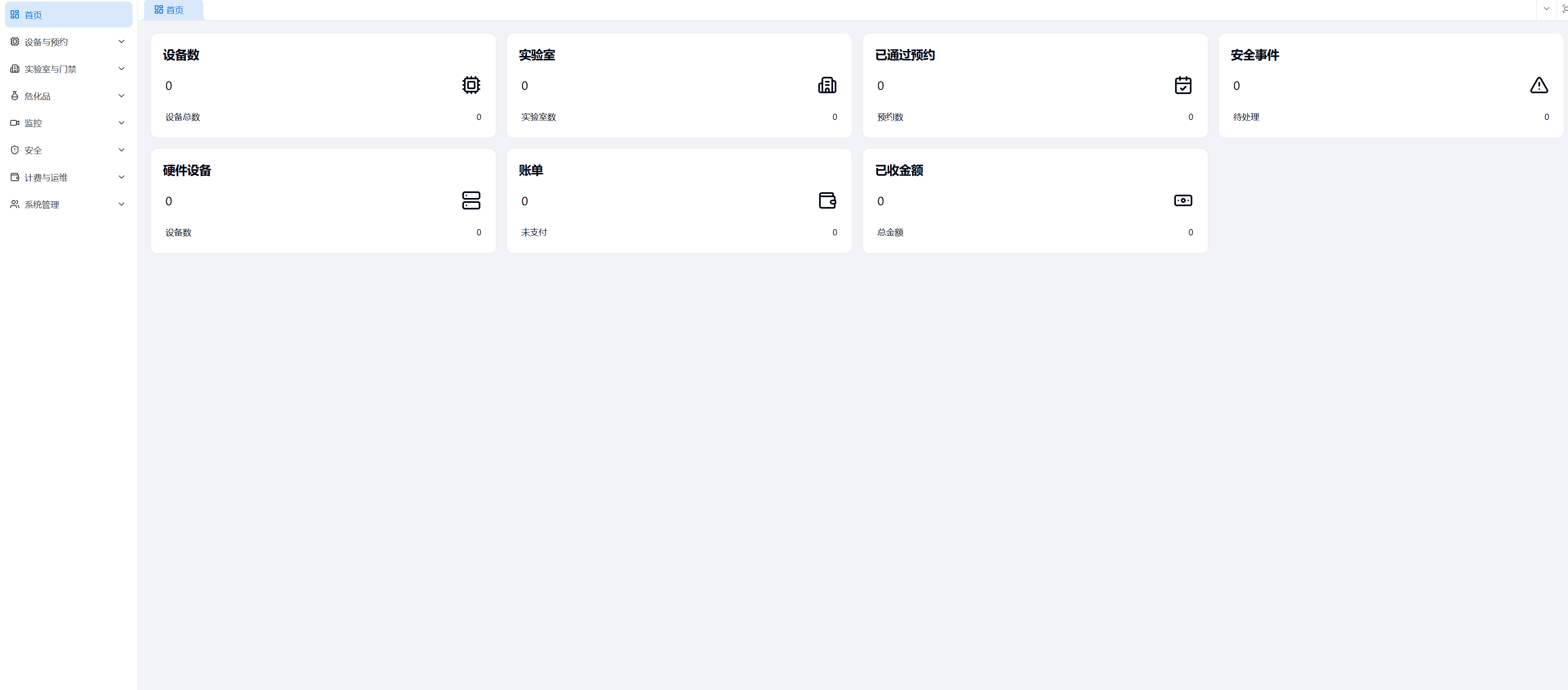
Discover the university lab management platform now

Equipment, access control, reservations, hazardous chemicals, safety exams, billing, and monitoring — all covered by one platform.

Page update date: 2026-06-30