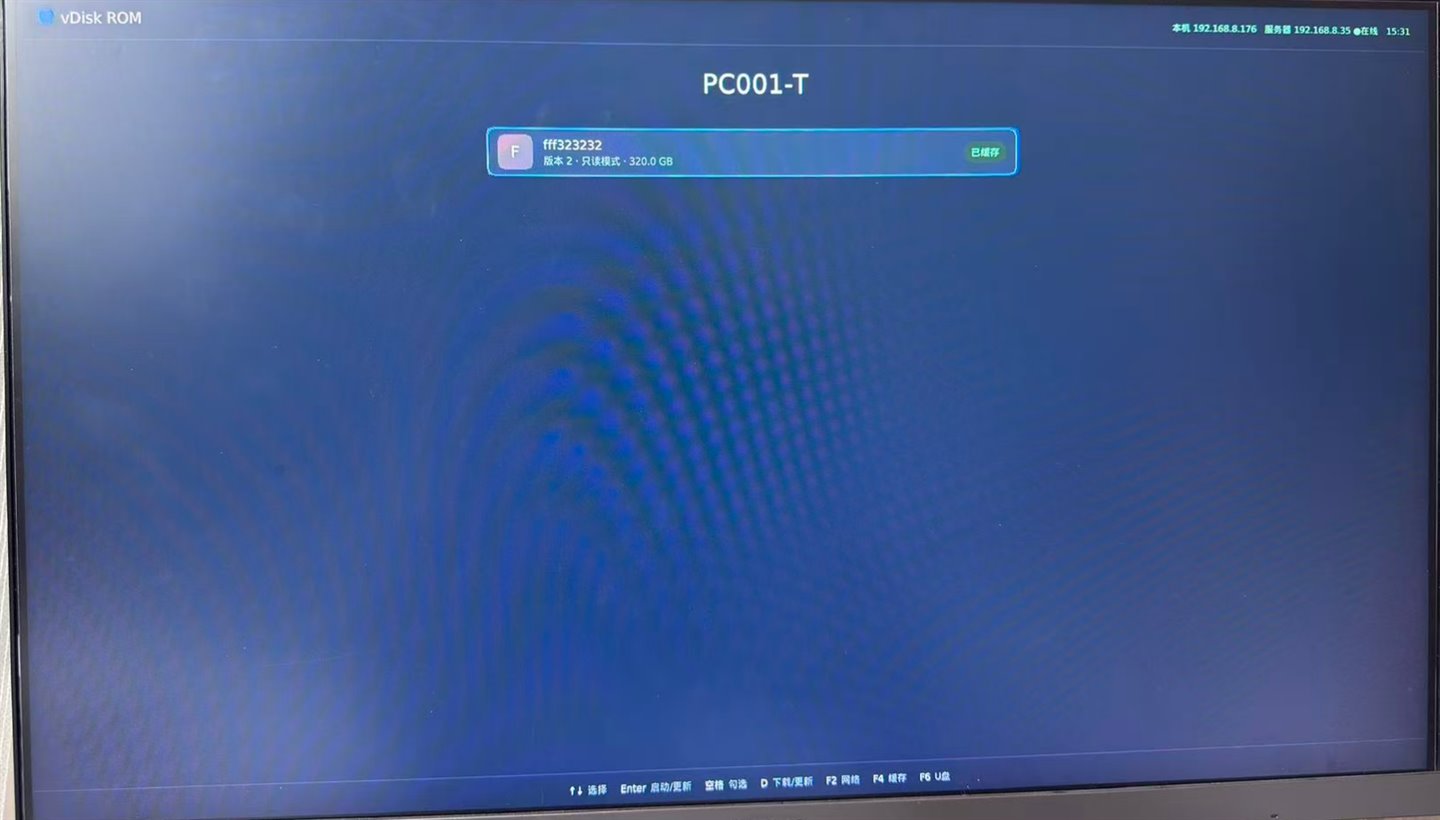
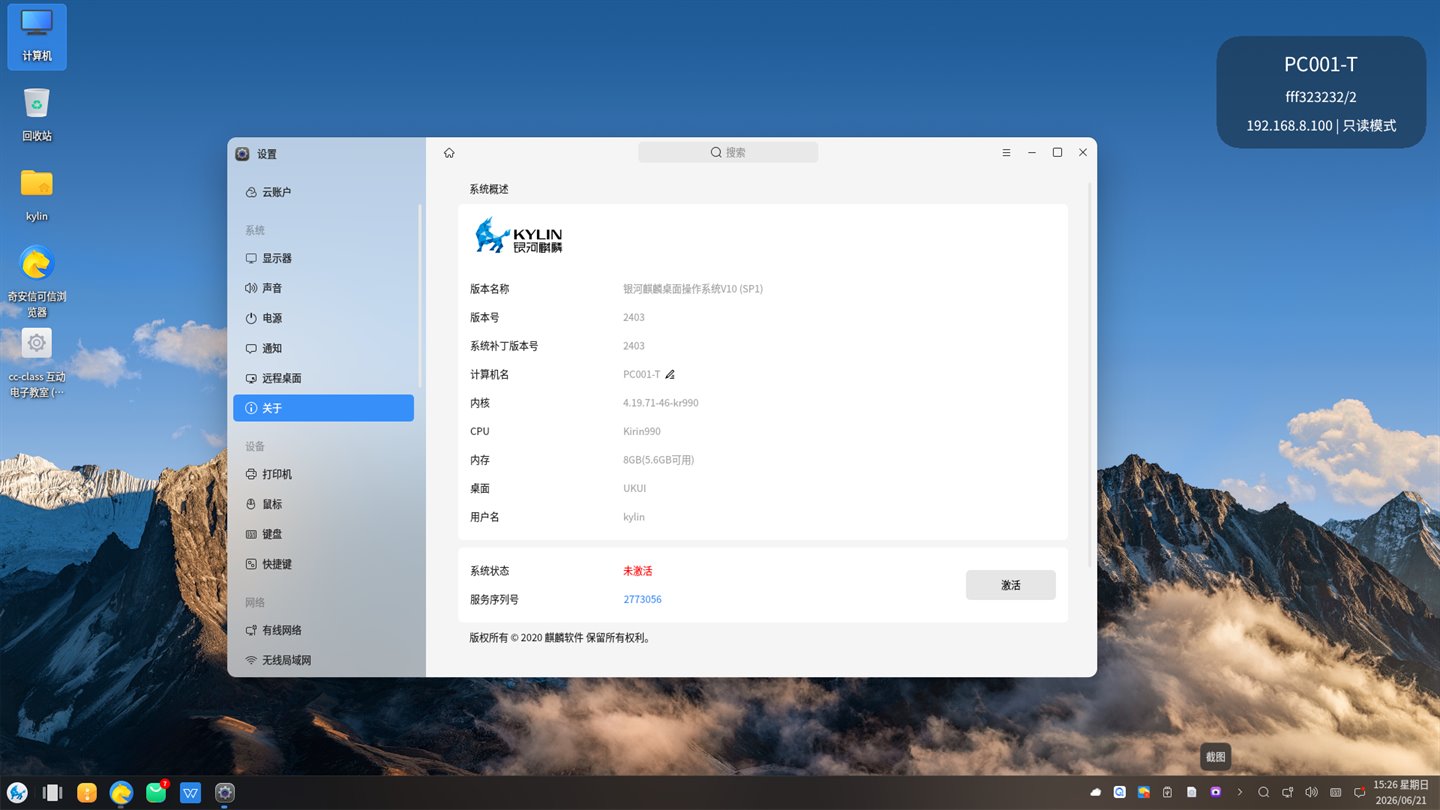
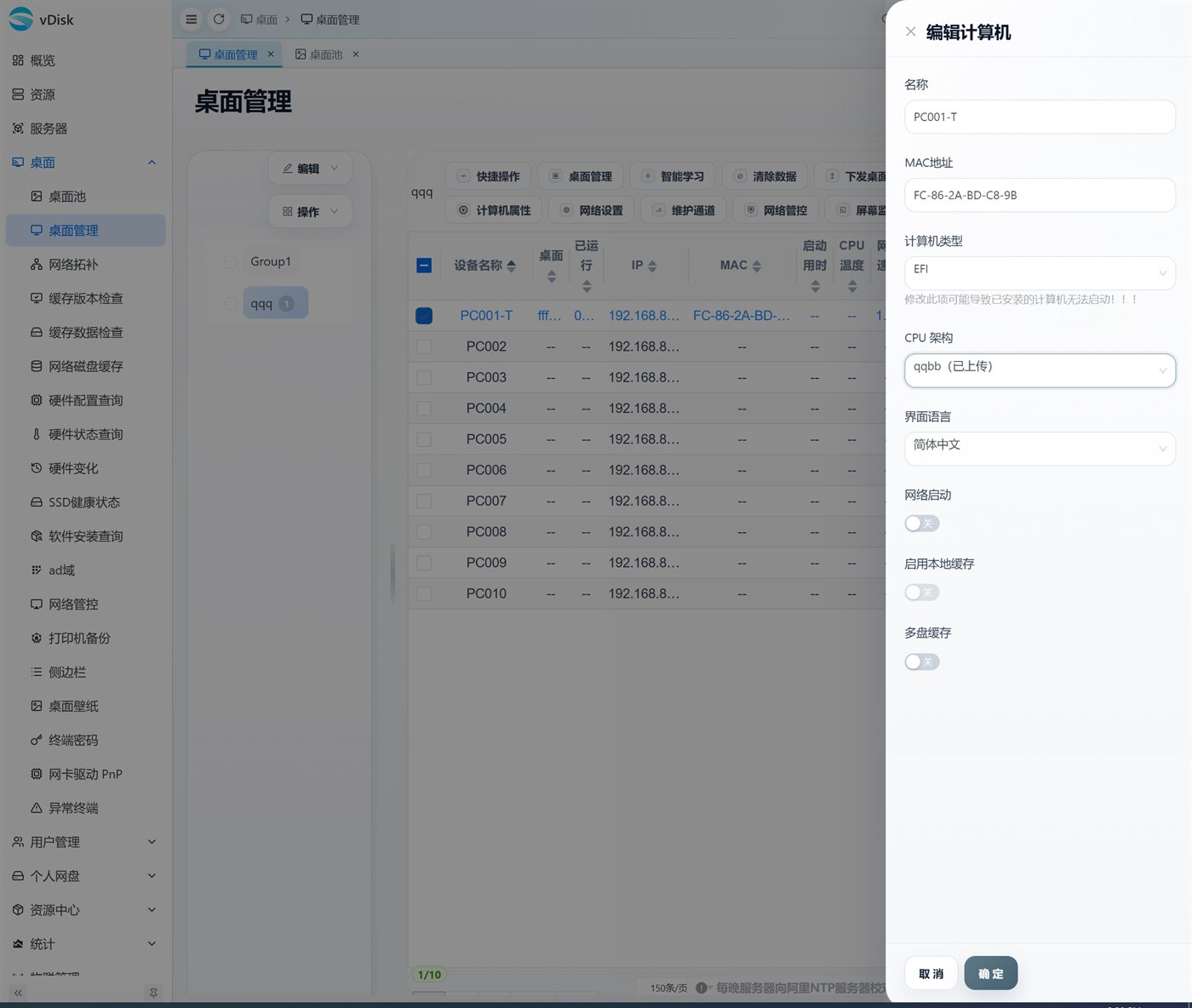
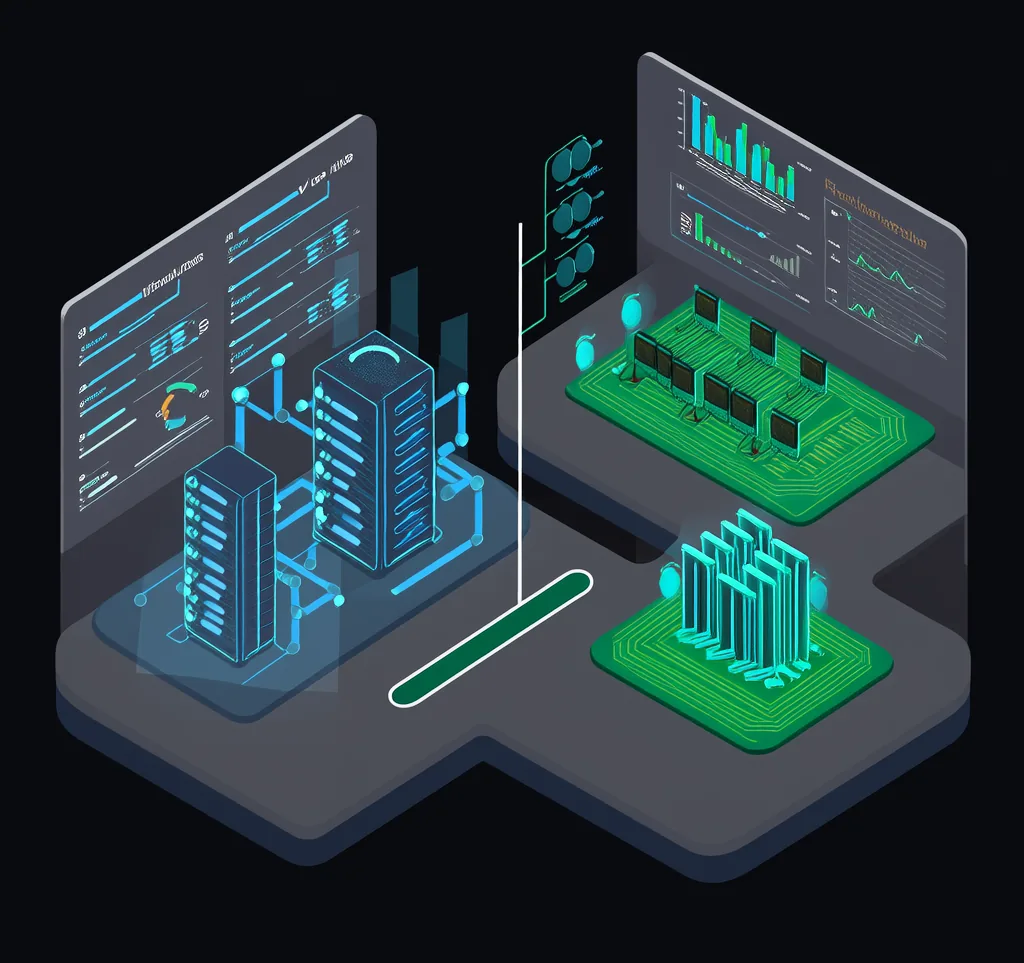
After upgrade, it looks like this: real scene in a domestic IT lab
vDisk V5 graphical boot ROM, domestic Kylin desktop, web management backend, and architecture comparison—all real screenshots, not mockups.
Dual-disk blue screen / software conflicts / sync hangs / slowing down over time — the old IDV3 issues, V5 has been redesigned to solve them one by one.
Still using legacy IDV3 / vDisk3? Dual-disk blue screens, port conflicts with classroom software, sync stuck in preloading, SSD slowing down over time... These old issues have all been completely redesigned and resolved in vDisk V5. This page uses the image from the homepage 16-item comparison table + Screenshots of actual domestic IT ecosystem labs, clearly explaining the advantages of upgrading from IDV3 to V5 and how to perform a smooth upgrade.
vDisk V5 graphical boot ROM, domestic Kylin desktop, web management backend, and architecture comparison—all real screenshots, not mockups.
For common issues in traditional IDV3 such as dual-disk blue screens, third-party software conflicts, synchronization freezes, and gradual slowdowns, vDisk V5 resolves them one by one after the rebuild (see User Manual)。
| Comparison Item | IDV3 / vDisk3 | IDV5 / vDisk5 New Version |
|---|---|---|
| Dual-disk / driver boot | With dual M.2 + HDD disks, a missing NVMe driver in the image causes a blue screen; the master image's NIC driver must be the original one, otherwise it slows down multicast transfer. | NIC / disk drivers auto-attach via PnP at boot; dual-disk support has been fixed and optimized. |
| Third-party software compatibility | Coexistence with classroom software such as Jiyu often causes port conflicts and client blue screens | cc-class uses one installer for both teacher and student ends, natively integrated with no port conflicts. |
| Stable sync / boot | Prone to freezing on the boot preload screen after syncing | Zero-speed auto-optimization + resumable transfers for stable, freeze-free startup |
| Mount Disk | When the system has uninitialized partitions, it tends to report "failed to mount disk" | Automatically detects and clears failed tasks for stable mounting |
| Login / connect | Frequent network errors and missing desktop icons | Graphical ROM self-check over the network; the boot menu syncs the access mode automatically. |
| Post-Deployment Performance | Laggy operation, high process usage, with read speeds capped at about 300M/s. | Rebuilt drivers deliver SSD read speeds above 1 GB/s with no slowdown over time |
| Restart Mid-Download | Restarting during download/sync can corrupt the image, causing a blue screen and boot failure. | Use while downloading; power loss or reboot won't damage the current image |
| Resumable Transfer | Not supported; on error you must wipe and start over, which is very time-consuming | Supports automatic resume after shutdown or restart |
| Distribution Modes and Speed | Chained transfer / broadcasting often stalls at zero speed, daisy-chains every machine and has a low success rate | BT seeding for peer transfer by default—the more it spreads, the faster it gets, with a far higher success rate than before. |
| SSDs Slow Down Over Time | SSDs slow down with use, eventually dragging down boot times | Fixed, with SSD health collected every half hour for early warnings. |
| Architecture & Cross-Platform | Cross-platform and domestic-IT adaptation is difficult, requiring separate compilation and maintenance | Fully rearchitected, cross-platform application that runs on x86 / ARM / NAS / Docker; Kunpeng / Phytium / UOS / Kylin |
| Personal Network Drive | 无 | An account-based virtual disk that works just like the local C drive—save assignments and run VMs directly. |
| Network / semi-cached boot | 无 | Supports network boot and half-read/half-cache, caching only what you use, so even small hard drives work |
| Network Control | 无 | One-click switching between LAN-only / domestic-only / full internet, easily blocking external access |
| IoT & Teaching | No IoT support; interactive teaching requires purchasing separate third-party software | Unified control of access / surveillance / air conditioning / lighting; cc-class digital classroom + AI teaching. |
| Mobile Operations & Maintenance | 无 | Remote control via WeChat Mini Program, with standard cron-scheduled power on/off. |
Drivers were comprehensively refactored, SSD read speed increased from about 300 MB/s to over 1 GB/s, fixing the 'SSD slows down over time' issue, and SSD health is collected every half hour for early warning.
NIC/disk driver PNP auto-attach, dual-disk repair; download/sync interruptions or power restarts do not damage the image, eliminating dual-disk blue screens and preload freezes.
Uses BT seeding by default for mutual transfer, getting faster the more it transfers, with far higher success rates than chain/broadcast transfer; automatically resumes after shutdown/reboot without starting over.
Completely rebuilt as a cross-platform application that runs on x86/ARM/NAS/Docker, compatible with Kunpeng/Phytium/UOS/Kylin, enabling smooth replacement of domestic IT infrastructure in computer labs.
Supports network boot and partial read/partial cache, cache as needed, usable even on terminals with small hard drives; can run offline after full caching.
Unified control of access control/monitoring/air conditioning/lighting; cc-class electronic classroom + AI teaching natively integrated; remote management via WeChat mini-program, cron scheduled power on/off.
Reuse existing terminals (including old PCs), no need for a complete machine replacement.
Yes. Existing terminals (including old PCs) can be reused, eliminating the need for a complete machine replacement. Follow the four-step process of "assessment → master image → enrollment & distribution → verification & rollback" for a smooth phased upgrade without interrupting classes.
No. V5 network/disk driver PNP auto-attach, dual-disk issue fixed; after driver re-architecture, SSD read speeds exceed 1G/s, with health warnings collected every half hour, maintaining performance without long-term degradation.
No. V5 has the cc-class interactive electronic classroom built-in, teacher and student sides share one installation package, natively integrated, no need to install third-party classroom software separately, avoiding port conflicts and client blue screens.
Yes. Fully platform-rearchitected, can run on x86/ARM/NAS/Docker, adapted for Kunpeng/Phytium/UOS/Kylin, with domestic CPU × domestic OS images packaged to replace the original computer lab setup.
V5 defaults to BT seeding for peer-to-peer transfer, faster as more join, success rate far higher than chain/broadcast, and supports resumable transfer, automatically resumes after shutdown/reboot.
Fill in the information. Our pre-sales team will provide a one-on-one upgrade plan and free trial based on your existing IDV3 computer room scale and status, and send you the software acquisition method. Self-service QR code registration, renewable three times, unlimited points.